This page is based on this notion page and multiple videos.
Videos
Real time endpoints
Batch transformations
Overview
AWS SageMaker is a platform on Amazon Web Services meant to create Machine Learning models and serve them as a paid service over an API.
In this short tutorial I will describe how you can call the SageMaker API that hosts a Typing Tool we created to receive segment assignment predictions. Additionally, I will show the process behind the implementation and all the wires than needed to get connected to make this work.
The work included in this page is based on the first video, even though solutions provided there were not reproducible. We managed to create a reproducible example on our own. We stored all the code in tools/sagemaker
On Demand SageMaker Notebook Instance used to develop an example - ml.t2.medium
$0.0582/h → $1.3968/day → $9.7776/week
could be on for 2 weeks! (~ $20)
SageMaker Training used to train and store the model - ml.m4.xlarge
$0.28/h
all the test training shouldn’t take longer (in total) than 3 hours
SageMaker Hosting - Real Time Inference - Endpoints used to host the API - ml.m4.xlarge
$0.28/h → $6.72/day → $47.04/week
we had 3 endpoints that could run for 12 days = 3*12*$6.72 = $241
How much we spend for the POC = ~$270
How can we save $? We can try the Amazon SageMaker Batch Transform that only charges you for the instances used while your jobs are executing. If your data is already in Amazon S3, then there is no cost for reading input data from S3 and writing output data to S3.
Click
OpenJupyterLab next to MarcinTest notebook ****instance
Start new Jupyter Notebook
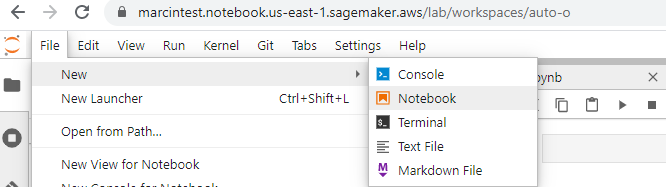
File → New → Notebook
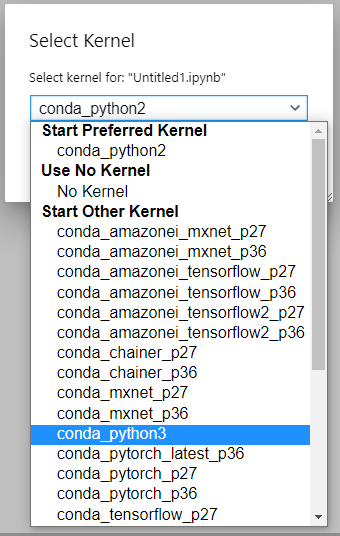
pick python_conda3 a a baseline kernel for the Jupyter Notebook
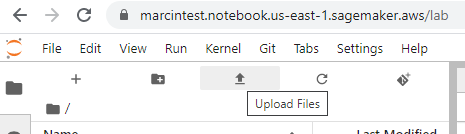
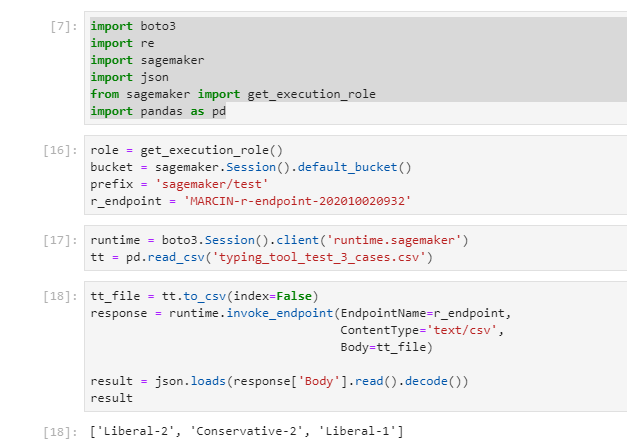
Upload a file with cases to be scored
You can use
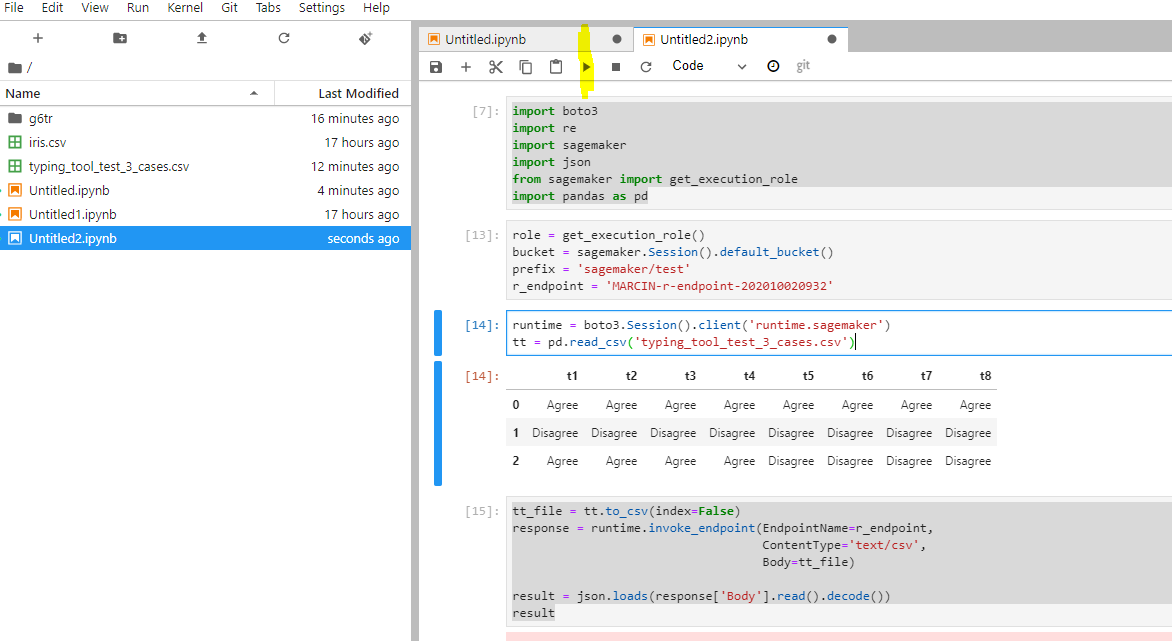
this file that contains 3 rows
Column names are verified after in they match one of: t1, t2, t3, t4, t5, t6, t7, t8
Values are verified after if they match any of: Agree or Disagree
This Docker image needs to be hosted on
AWS ECR (Elastic Container Registry) platform. To have this Docker build you need to launch AWS EC2 and
pull g6tr repo
switch to proper branch (in this case sagemaker)
build the image with
sudo docker built -t NAME .
connect the image with the registry
sudo docker tag NAME [895465320602.dkr.ecr.us-east-1.amazonaws.com/docker-containers:latest](http://895465320602.dkr.ecr.us-east-1.amazonaws.com/docker-containers:latest)
push to the registry
sudo docker push [895465320602.dkr.ecr.us-east-1.amazonaws.com/docker-containers](http://895465320602.dkr.ecr.us-east-1.amazonaws.com/docker-containers)
make sure you have aws client installed
pip3 install --upgrade --user awscli
and that you are authenticated with aws
aws2 configure set aws_access_key_id YOURKEYaws2 configure set aws_secret_access_key YOURSECRET
The Docker image needs to contain the initialization function with the plumber R api
Going bottom-top
Create an R script to score new data based on a model
Pack it into a plumber API
Pack the plumber API into a Docker image
Put the image into AWS ECR
Use the image in AWS SageMaker Notebook Instances
to create a training job
to create a ml model
Create AWS Endpoint Configuration
Create AWS Endpoint
Notes
All the logs can be checked at
AWS CloudWatch . This enables you to see results of any execution and any call so that you can troubleshoot your R code inside a Docker container.