Ghost Deck App Guide
The
Ghost Deck app is an in-house tool designed with the research managers in mind for creating plots that would be included in a ghost deck. Please note all values generated from this app are FAKE and should ONLY be used in the context of a ghost deck deliverable. Under the hood, the app uses OpenAI for generating FAKE data and utilizing {g6tr.theme}, our plotting library, we create gradient branded plots.
The current types of plots that can be created using the app are:
-
Bar plots
-
Scatter plots
-
Heatmaps
Product-specific plot types include:
-
Conjoints
-
MaxDiffs
-
List Experiments
-
Brand Perception
The app is fairly easy to use, and every field has been prefilled so if you click on the following sequence to make a plot [Run Prompt] -> [Create Plot], you can see what the default plot looks like and update the parameters to suit your needs.
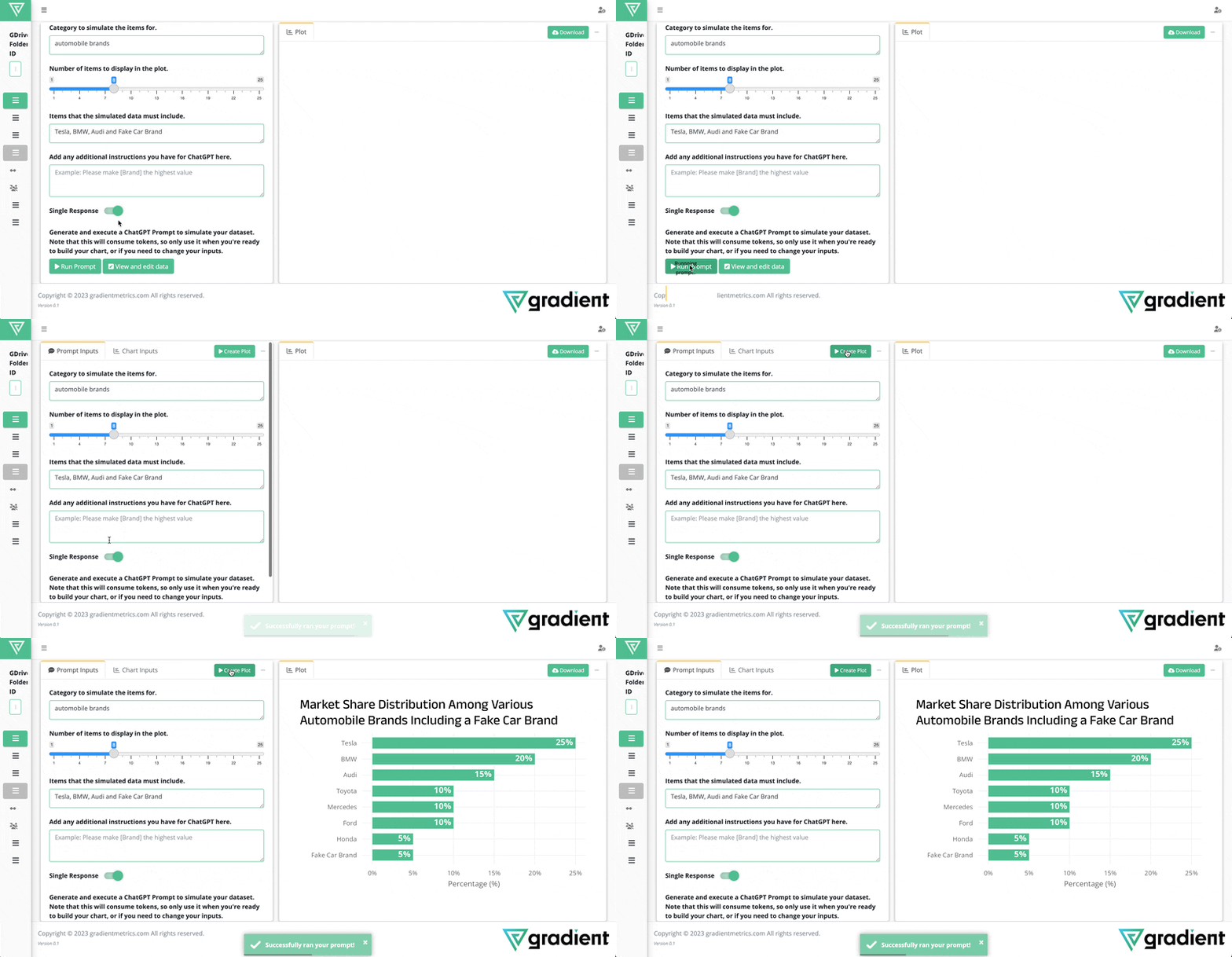
Once you’re happy with the plot, click on the [Download] button at the top right corner of the plot tab to save it. You can either download it manually [Download] or save it to a Google Drive folder [Save to Drive]. Remember to paste in Google Drive link into textbox area located in left sidebar of the app.
If you’re saving a plot to a location that is not in the Client Project folder, please give plotmaster@ghost-deck-application.iam.gserviceaccount.com write access to that folder.
New training videos will always be uploaded here.