Survey Weighting
Oftentimes in market research, we try to make inferences about a population. What proportion of American voters agree with a statement? But of course, we can’t conduct a census. For most populations, that’s much too expensive, infeasible, and just downright silly. So, instead, we draw a sample. Samples allow us to infer the perceptions, attitudes, or behaviors of a population.
For instance, imagine you were serving soup to a dinner party you’re hosting. How do you know if your soup needs more salt? Would you slurp down the entire batch to figure it out? No, of course not! Just try a spoonful, you heathen. But a spoonful of your delicious (not-too-salty) soup may not have the exact same composition of ingredients distributed evenly throughout the pan.
Sometimes, in survey research, we recruit samples that are not entirely representative of our target population. We might have more women, for instance, or younger respondents or more White people or some combination of demographics that prohibit accurate population estimates. This is a problem if we want to make population-level estimates and we expect (or even suspect) heterogeneity in what we’re measuring within our target population (spoiler: we normally expect at least some differences). So what is a poor survey researcher to do?
One method for handling imbalances in our sample is to calculate and apply weights. When we have information about the population we would like to generalize to or make an inference about (i.e., when we have a sampling frame), we can adjust our sample to more accurately reflect the population distribution. At a high level, weights allow us minimize the influence of overrepresented cells and magnify the influence of underrepresented cells.
Weights are the result of using a complex sampling design to select a sample from a population. Weights tell us the number of units in the population that a sampled unit represents. For instance, if every row is a respondent and a particular row contains a weight of 1.5, it means that sampled individual counts for 1.5 individuals in your population.
Weights are always positive and always non-zero. Weights < 1 are assigned to cases that are overrepresented in our sample and weights > 1 are assigned to cases that are underrepresented in our sample. A weight of 1 is a case that represents a single case in the population.
Broadly speaking, there are two different types of weights:
Design weights: Normally used to compensate for over- or under-sampling of specific cases or for disproportionate stratification.
For instance, if we want a really precise estimate of minority group or one that is hard to reach, we may oversample them. We need to correct for this oversample by applying a design weight. For example, if we sample twice as many minority members as there are in the population, each member would receive a weight of .5
Poststratification weights (also known as non-response weights): Used to compensate for that fact that persons with certain characteristics are not as likely to respond to the survey.
⚡️ The example that follows is a type of poststratification weighting - inverse probability weighting.
For instance, we might find that some respondents are inherently less likely to respond to our survey thereby being included in our sample. We need to correct for this bias by weighting up responses from underreporting demographic groups. For instance, if we find men are less likely to respond to a survey, all else being equal, we will apply higher value weights to get an unbiased population-level estimate.
Poststratification weights require auxiliary information about the population from which we are sampling. In other words, we need a sampling frame.
🇺🇸 For U.S. gen pop surveys, we have quite a bit of periodic data sources at our disposal - including, U.S. Census tabulations, the Current Population Survey (CPS), and the American Community Survey (ACS).
Even though weights are very useful for reducing bias in population-level estimates, there are still trade-offs that you as a survey researcher should be aware of. After all, nothing in life is free.
- Weights primarily adjust means and proportions. They are useful for gathering representative population-level point estimates, but they may adversely affect inferential data and standard errors. By increasing standard errors, you are introducing instability into your data.
- Furthermore, very large weights or very small weights can introduce instability. Very large weights may over-magnify the views of one or several people that are not representative of their demographic grou.
- Survey weights are not a replacement for proper sampling, so if you notice particularly imbalanced weights, you may need to re-consider your sampling plan.
- In the case of very large or very small weights, researchers may “trim” the weights - nullifying the extreme instability they can incur. However, trimming weights can reduce the representativeness of the weighted data. After all, you weighted your data to match the population distribution. There is always an inherent tension between less stability and more accurate representativeness.
- It’s important to consider the “grain size” of one’s demographic categories for which you are weighting. Even though you may have auxiliary data about a population, if it isn’t detailed enough, you run the risk of over- or underrepresenting groups of respondents. For instance, “White” versus “Non-white” is a rather crude distinction that belies the complex cultural and societal differences within each group.
Now that we have a sense of what survey weights are, why they are used, when they are appropriate, and their relative disadvantages, let’s walk through an example where we weight US voters using inverse probability weighting.
First, load the necessary libraries.
library(g6tr.analytics)
library(dplyr)
library(stringr)
Imagine a dataset of responses to a survey, which includes their demographic information. Imagine you have the same demographic information for your population of interest (e.g., US general population or potential customers of a product).
In this example, we’ll work with a dataset containing 4 features related to voting profiles in US elections. Let’s load in the data.
data(ds_weighting_survey, package = 'g6tr.analytics')
ds_weighting_survey[   1:6]
# A tibble: 2,012 x 6
   bonica.cid level_1     level_2 level_3    level_4         answered
        <dbl> <fct>       <fct>   <fct>      <fct>              <dbl>
 1    5.00e15 bernie_only no      <$200      Above med              1
 2    3.51e10 bernie_only no      <$200      Below/equal med        1
 3    5.00e15 bernie_only no      <$200      Below/equal med        1
 4    3.35e10 bernie_only no      <$200      Below/equal med        1
 5    5.00e15 bernie_only no      $200-$2699 Below/equal med        1
 6    3.51e10 bernie_only no      <$200      Below/equal med        1
 7    5.00e15 bernie_only no      <$200      Below/equal med        1
 8    5.00e15 bernie_only no      <$200      Below/equal med        1
 9    5.00e15 bernie_only no      <$200      Below/equal med        1
10    4.45e11 bernie_only no      <$200      Below/equal med        1
# … with 2,002 more rows
Here’s a short summary of the variables in the dataset:
level_1= indicator of which candidate a respondent made donations to (before 2016-07-25)level_2= indicator of whether a respondent made a donation to Hillary Clinton (after 2016-07-25)level_3= factor of donation amount categorylevel_4= indicator of whether the donator’s cf-score (campaign finance contributions) is above or below the median cf-score in the considered populationbonica.cid= the unique id of a respondent (a voter, in this case)answered= indicator of whether a voter took part in the survey (1) or not (0).
Here are some additional rows to give you a sense of the variety.
ds_weighting_survey[1100:1105,]
# A tibble: 6 x 6
  bonica.cid level_1      level_2 level_3 level_4         answered
       <dbl> <fct>        <fct>   <fct>   <fct>              <dbl>
1    2.79e10 hillary_only yes     <$200   Above med              0
2    5.00e15 bernie_only  no      <$200   Below/equal med        0
3    4.44e11 bernie_only  no      <$200   Below/equal med        0
4    3.02e10 bernie_only  no      <$200   Above med              0
5    3.78e 9 bernie_only  no      <$200   Below/equal med        0
6    5.00e15 bernie_only  no      <$200   Below/equal med        0
You can use a classification model, to calculate predictions of whether a respondent took part in the survey or not.
Let us consider simple glm model below:
weighting_model <-
  glm(
    answered ~ level_1 + level_2 + level_3 + level_4,
    ds_weighting_survey,
    family = binomial
  )
Using the calculated model, one can calculate probabilities for whether a respondent participated in the survey based on the features in the dataset (e.g., level_1 - level_4).
selection_probabilities <-
  predict(weighting_model,
          newdata = ds_weighting_survey %>% filter(answered == 1),
          type = "response")

hist(selection_probabilities)
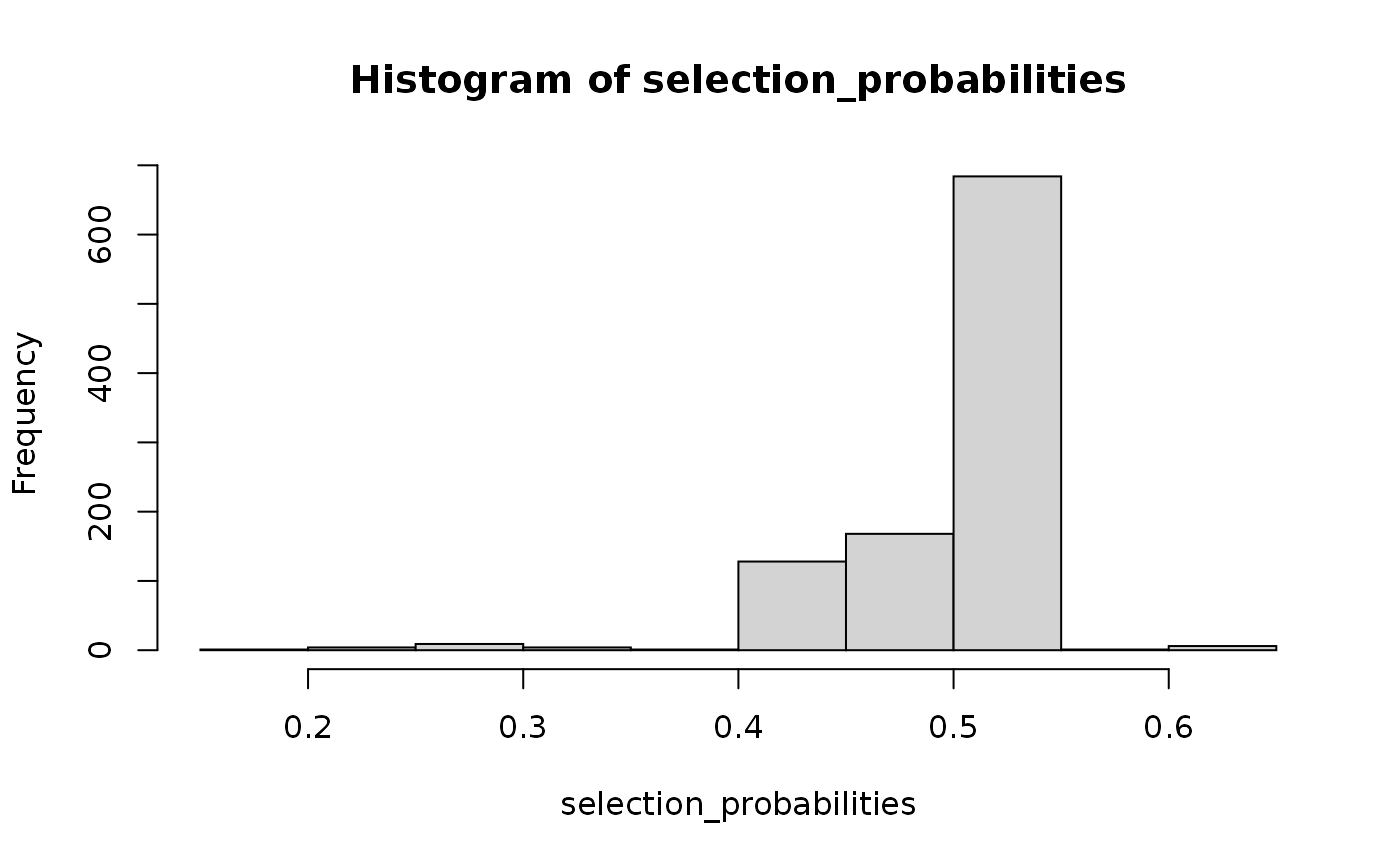
And then scale them, so that they are normalized to 1.
scaled_selection_probabilities <-
  selection_probabilities / 0.5
hist(scaled_selection_probabilities)
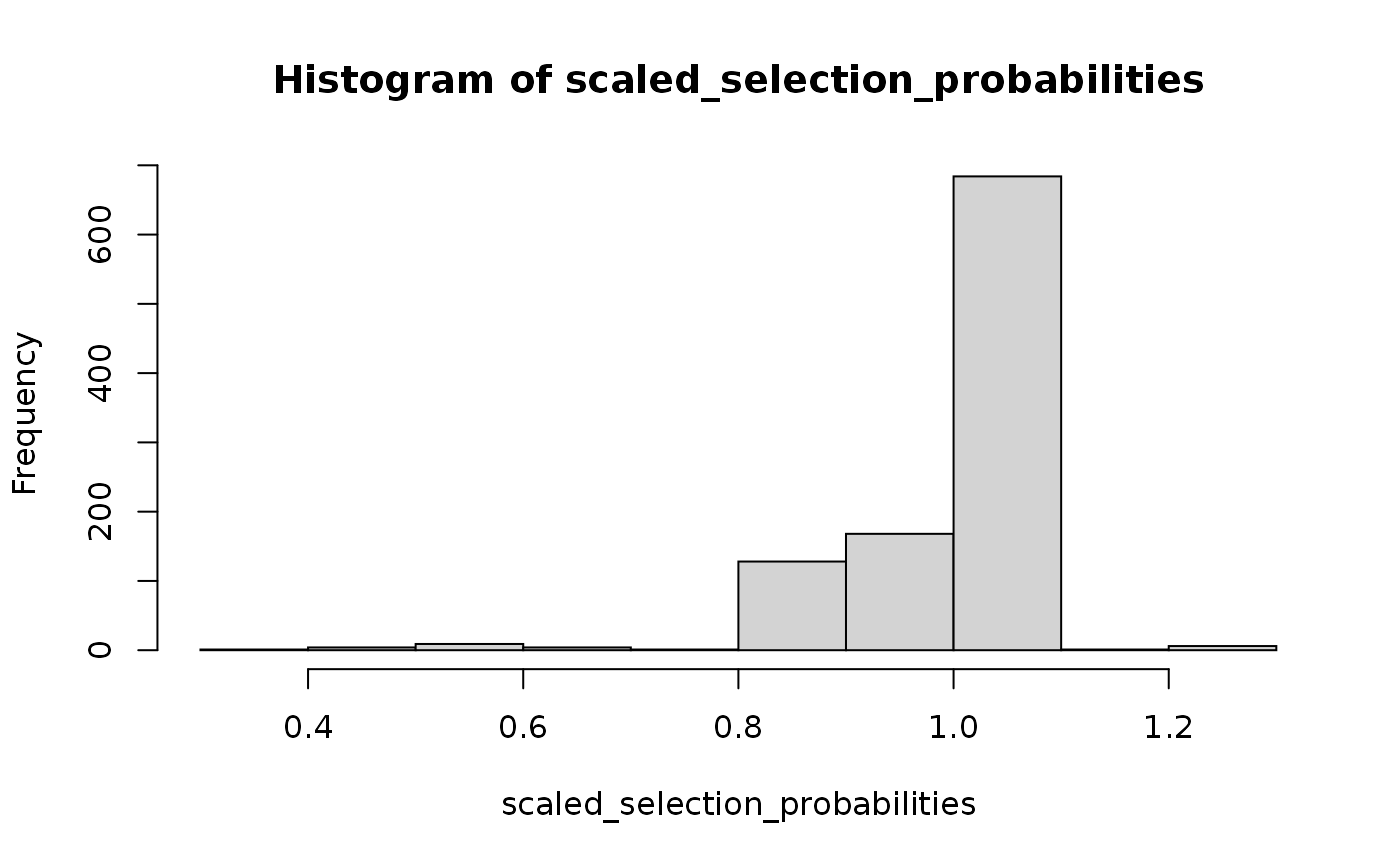
The 0.5 above comes from the fraction of 1s in the dataset. Change it, if the proportion is different in your dataset.
table(ds_weighting_survey$answered)
   0    1
1006 1006
If an observation is more likely to be represented in the survey than population, it’s weight should be smaller. That’s why we invert probabilities to get the weights of the influence on the population
Let’s inverse them now.
inverse_probability_weights <-
  1 / scaled_selection_probabilities
hist(inverse_probability_weights, breaks = 20, main = "Distribution of Weights")
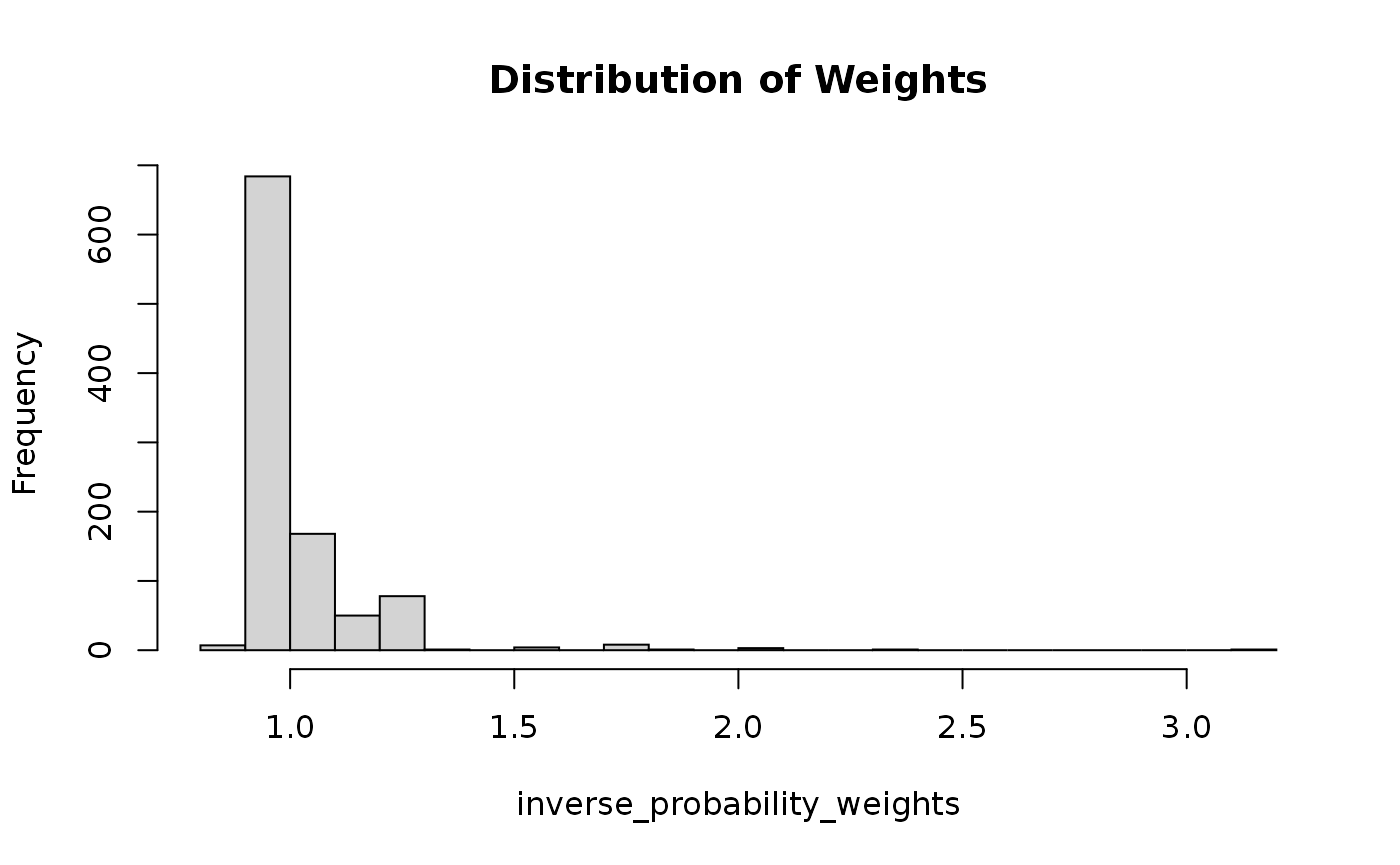
The more accurate the model is, the better for the weights. Let us try few other models that are a bit more complex than glm.
You can use the tt_divide function to divide the dataset into training and test data.
survey_divided <-
  tt_divide(
    ds_weighting_survey %>% rename(segment = answered),
    size = 0.8,       # size of the rain set
    'bonica.cid',     # name of the unique id used to split data
    seed = '20190919' # random seed
  )
Training and test data can then can be used in the tt_fit function that trains multiple classification methods and present their accuracy.
classification_fits <-
  tt_fit(
    set = str_c('level_', 1:4),  # names of features to be used
    train = survey_divided$train,# train dataset for the model
    test = survey_divided$test,  # test dataset for accuracy verificatin
    algos = c('naiveBayes', 'randomForest') # names of algorithms to be used
  )
classification_fits
  naiveBayes randomForest
   0.5223881    0.5199005
Even though the accuracy is not the best, we can see what would happen if we were to choose naive Bayes model to calculate the weights.
library(e1071)
bayes_model <-
  naiveBayes(
    as.factor(answered) ~ level_1 + level_2 + level_3 + level_4,
    ds_weighting_survey
)
selection_probabilities <-
  predict(bayes_model,
          newdata = ds_weighting_survey %>% filter(answered == 1),
          type = 'raw')[, 1]

scaled_selection_probabilities <-
  selection_probabilities / 0.5

inverse_probability_weights <-
  1 / scaled_selection_probabilities
hist(inverse_probability_weights, breaks = 20, main = "Distribution of Weights")
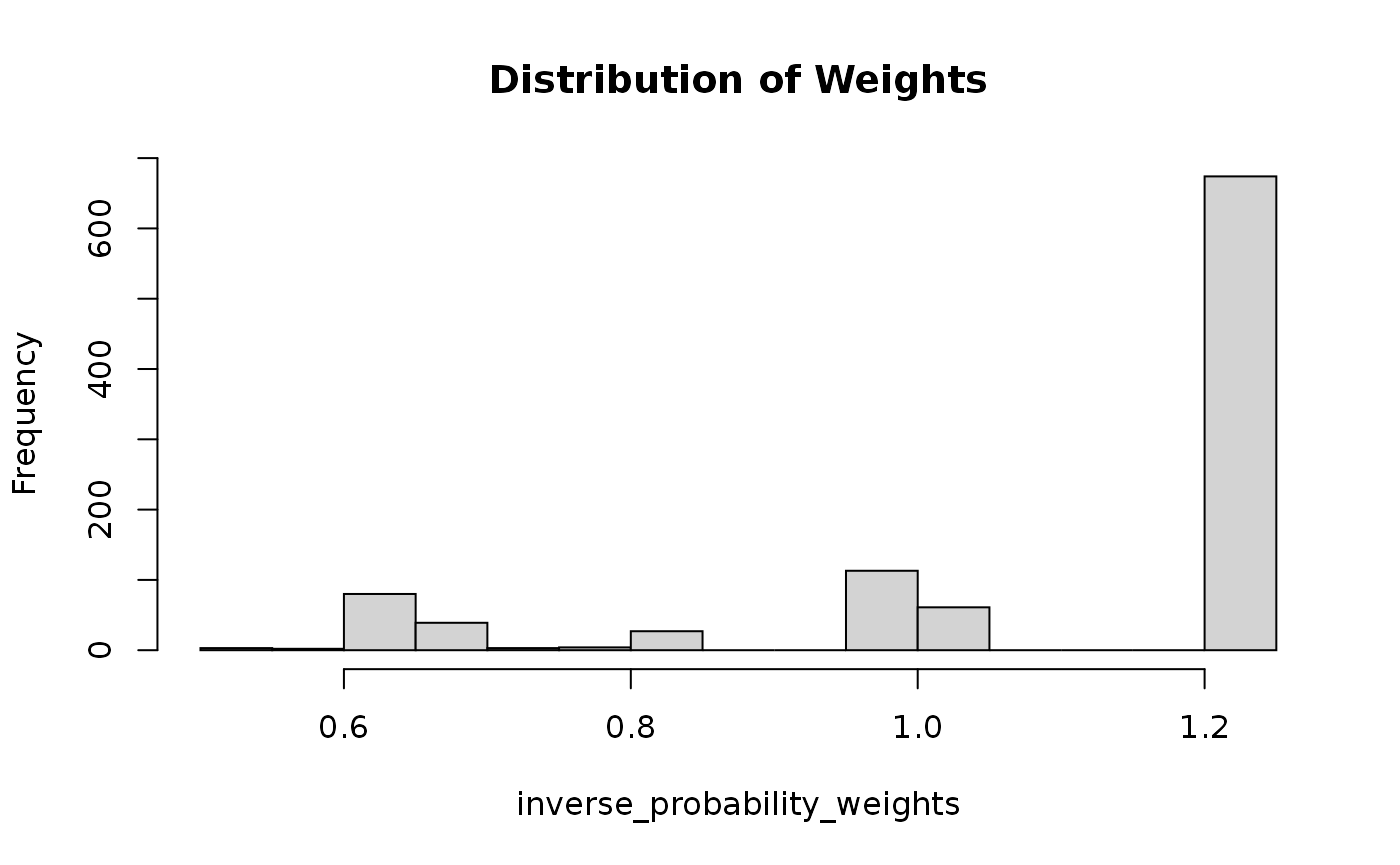
Sometimes at Gradient, a client will be interested in results for both a broad population and a specific low-incidence subpopulation. In such cases, it may be necessary to collect oversamples of the low-incidence population.
Projects where we collect oversamples require careful attention to the subpopulations being filtered and the weights being applied. Oftentimes, oversamples will have separate weights for the general population (where they are downweighted or otherwise accounted for) and for their specific subgroup.
The Gradient rule for analyzing weighted oversamples: Use any row that has an oversample weight — regardless of whether they also have a general population weight.
Consider the following dataset where we collected a general population sample with an oversample of Black respondents.
| response_id | race | gen_pop_weight | oversample_weight |
|---|---|---|---|
| 001 | White | 0.88 | |
| 002 | Black | 1.03 | 1.12 |
| 003 | White | 1.01 | |
| 004 | Black | 1.10 | 1.01 |
| 005 | Black | 0.98 | |
| 006 | Asian | 0.92 |
- General population estimates should include all respondents other than response_id = 005.
- Oversample estimates should include respondents 002, 003, and 005
- Even though respondents 002 and 003 both have general population weights, they should still be included in the oversample analysis