Fixing Github Builds
To begin with, it is crucial to first ensure that the build functions properly in your normal working environment, that is in RStudio. If the build runs well in your working environment yet encounters problems on GitHub, the underlying cause is almost always related to one of the following:
In other words, unexpected errors in steps where system libraries and R packages are installed. Addressing installation errors requires a case-by-case approach.
Your local system may have an outdated package dependency, while the newest version triggers errors. In GitHub builds, packages are installed from scratch during each execution, so, unless specified otherwise, the latest versions will be used. It is also possible that a vital environment variable, necessary for your package to function, was not set up in the GitHub build. Don’t forget to update your GitHub secrets when the associated tokens expire.
Finally, some errors, often related to unreachable servers, may be resolved by merely rerunning the build.
In the Actions panel you can see a list of workflow names on the left and all the jobs that are and were running on the right. You can see which are still in progress, which were completed without issues and which had some errors.
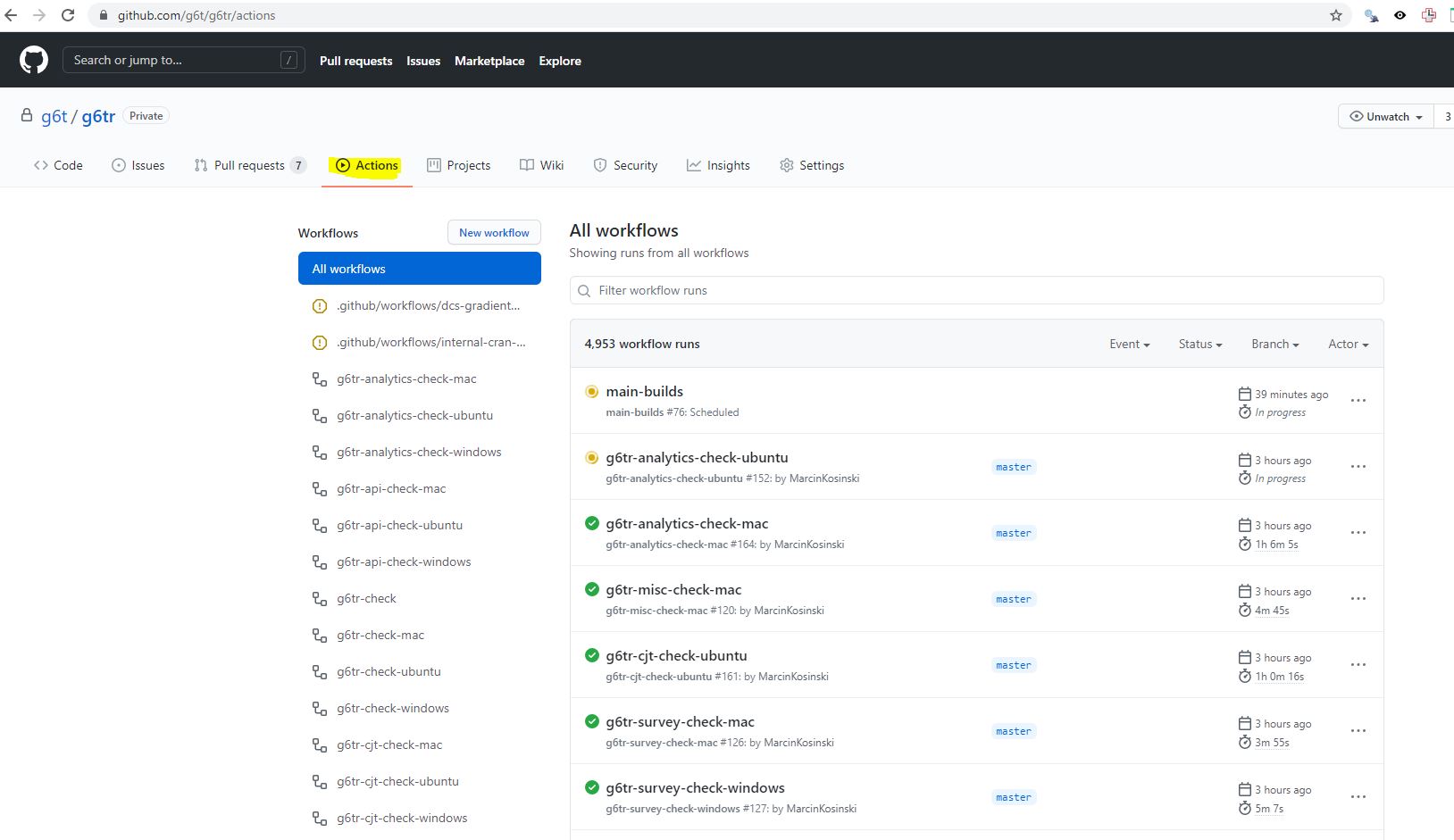
Let’s have a look at one of the builds that had an error. Let’s use this build that tried to check g6tr.cjt after some changes to the package. Some other packages were also tested during that build as multiple packages got changes on a PR.
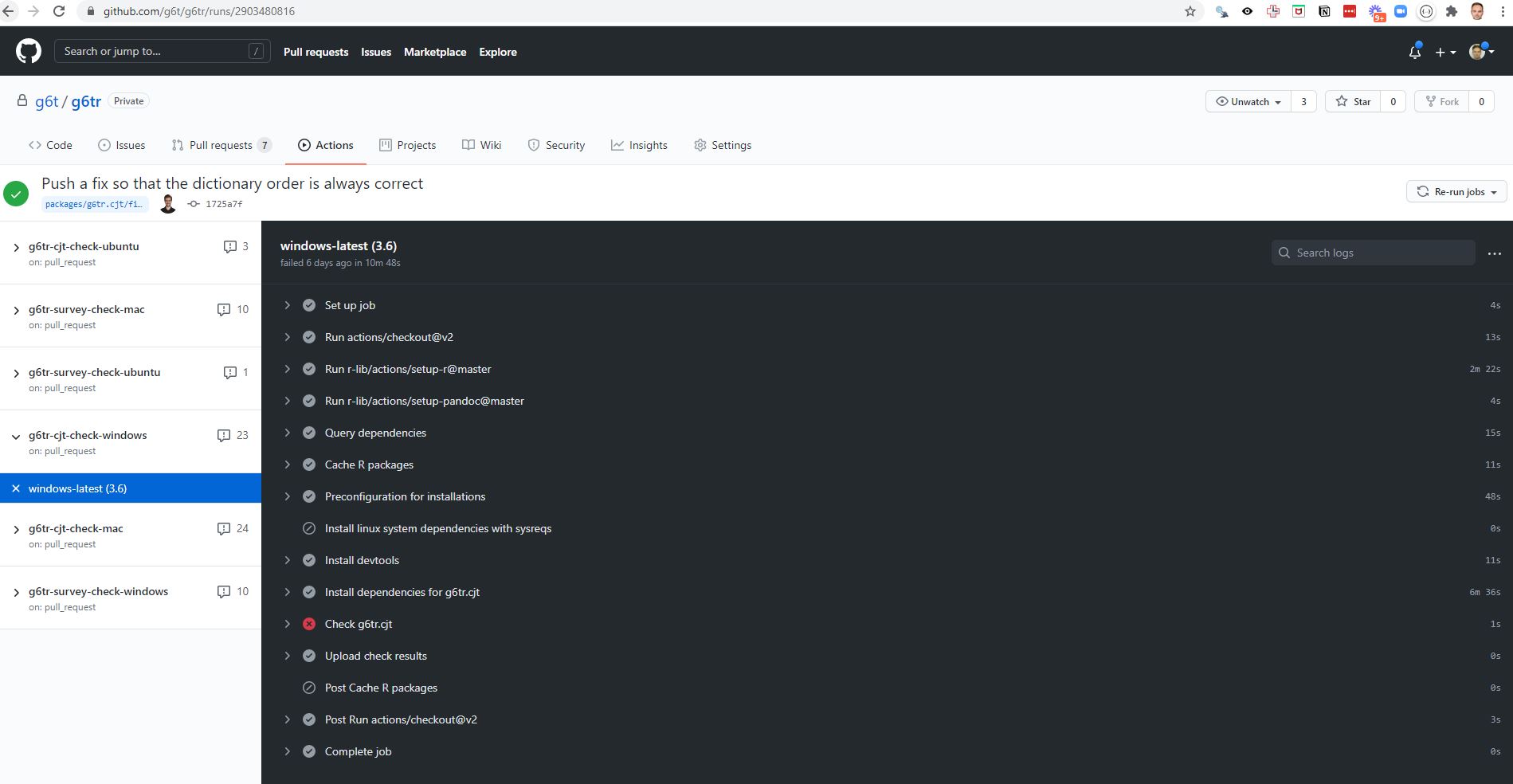
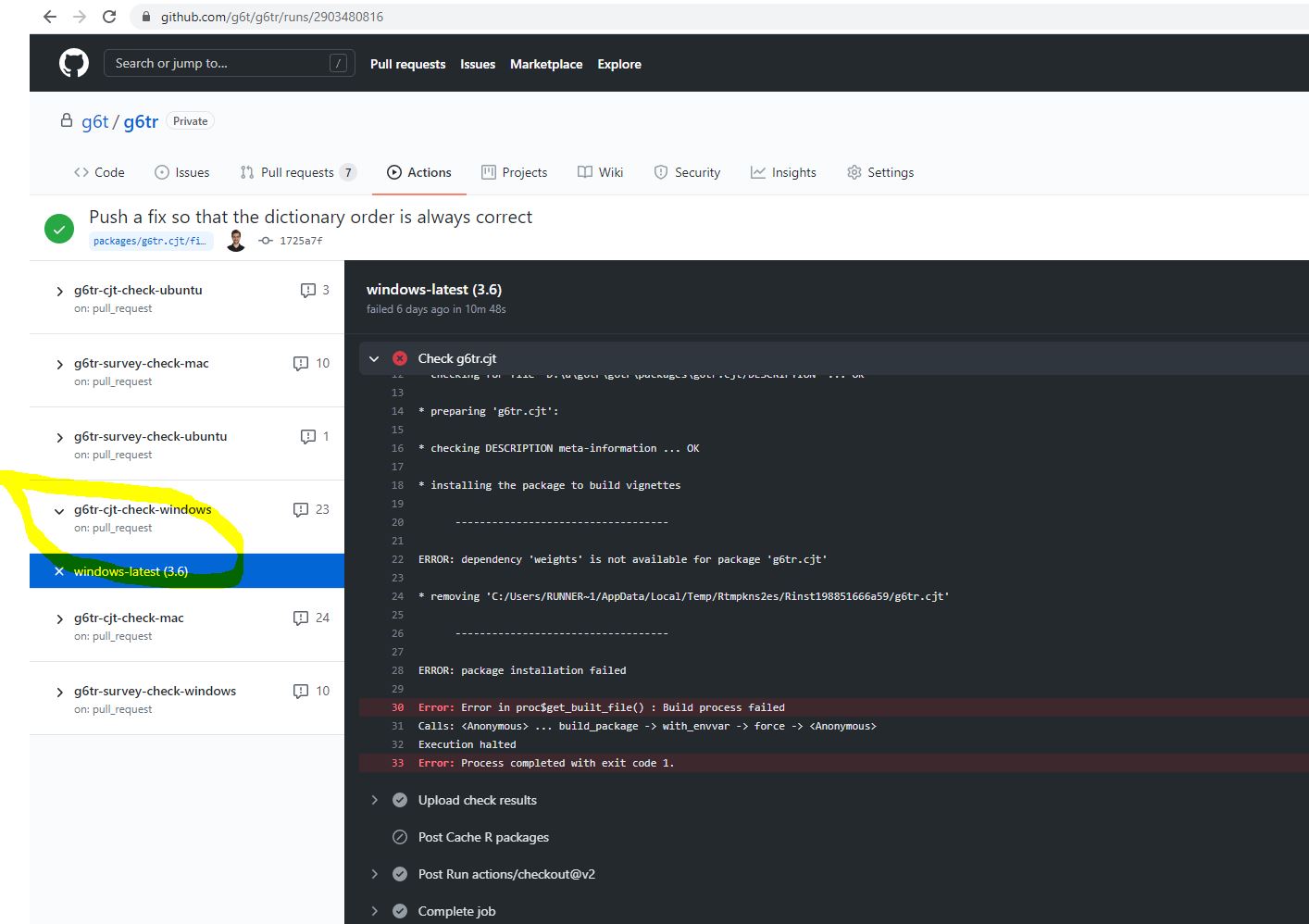
On a very first glance you can see there is an issue checking the g6tr.cjt
package because of missing weights package.
Maybe this package couldn’t get installed because some other dependencies are
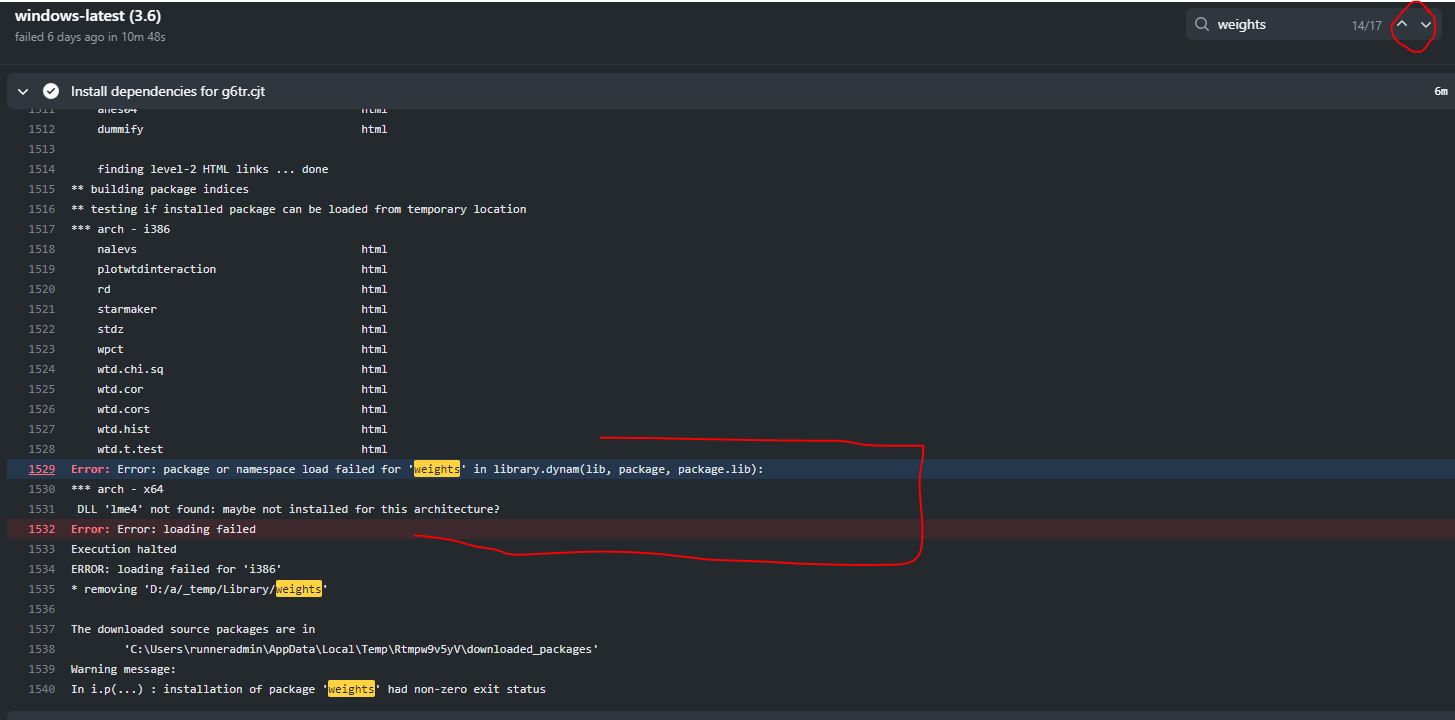
missing. Let’s use the loop on the top right corner to seek for weights to
check where the installation breaks and why. Let’s also open the Installation
step as probably there is the error.
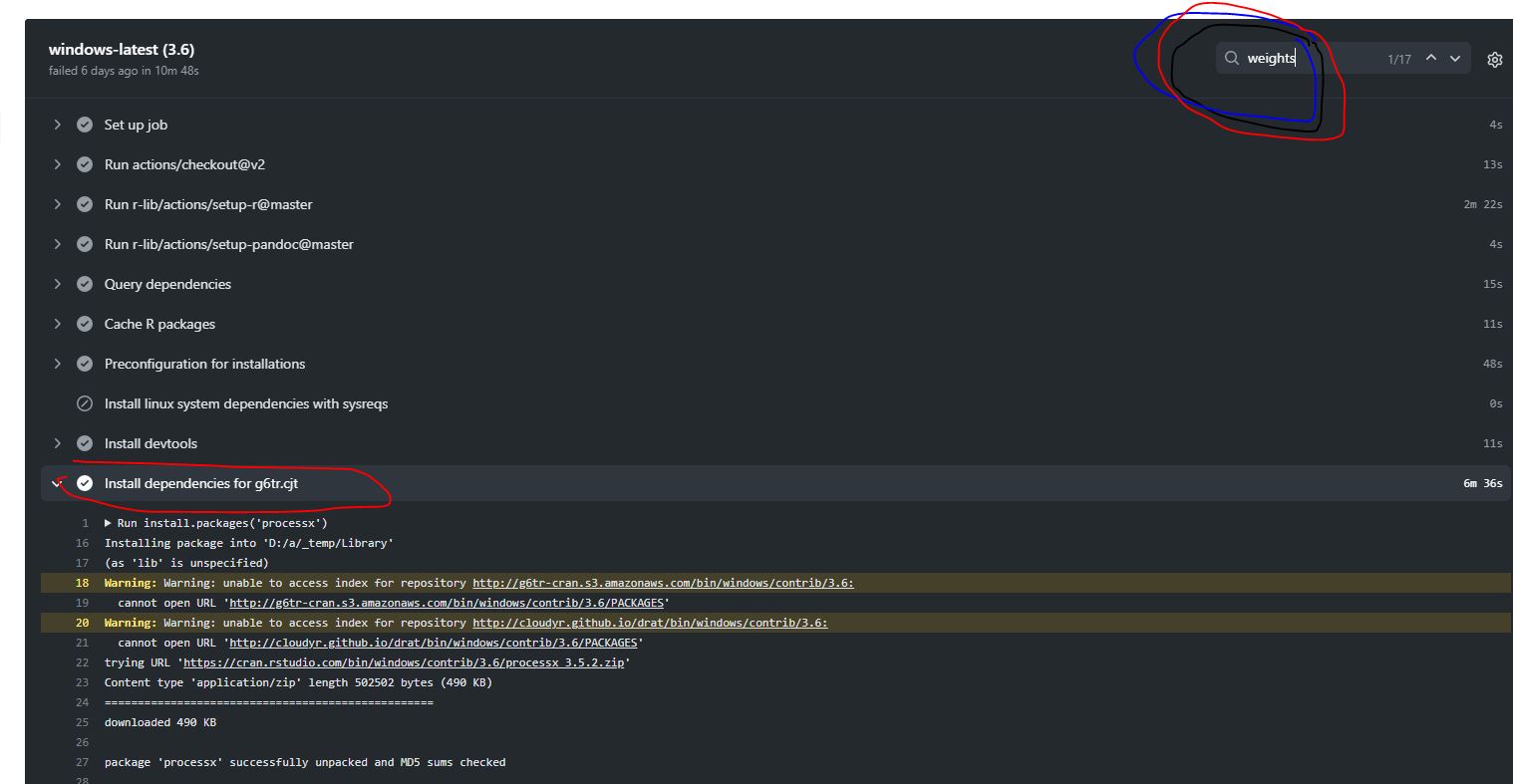
Thanks to the arrows on the right top corner you can skim through all mentions
of weights package to realize a package couldn’t get installed because lme4
was a missing dependency.
The way to fix this issue was to add this package to workflows YAML during the installation phase (see this commit).