Introduction
If you feel smart, and don’t want to waste time on brushing up your conjoint knowledge, you can go directly to the short tutorial on the DisplayR settings:
Otherwise continue reading.
Each conjoint study has a few critical parts that contribute to a successful project. We are capable of controlling some of these parts, while others are kept random. Among the things we can control are the: design, model, display, prompts and descriptions. The study’s design is the particularly hard part to consider. There are numerous ways the design is constructed, so finding the optimal one is usually not as straightforward as we would like.
On top of that, there aren’t many software solutions that can help us make sensible conjoint designs, and the ones that do exist can be expensive. Currently, we have access to DisplayR, which is able to satisfy most of our needs.
In this document we give a very brief introduction to experimental designs, provide a few rules of thumb, and how to use them with DisplayR to obtain reasonable designs for conjoint studies.
Log in to DisplayR using your credentials (or someone else if the credentials are shared) and create new document with New Document on the top of the page:

New Document
Pick up blank document template from the popup:
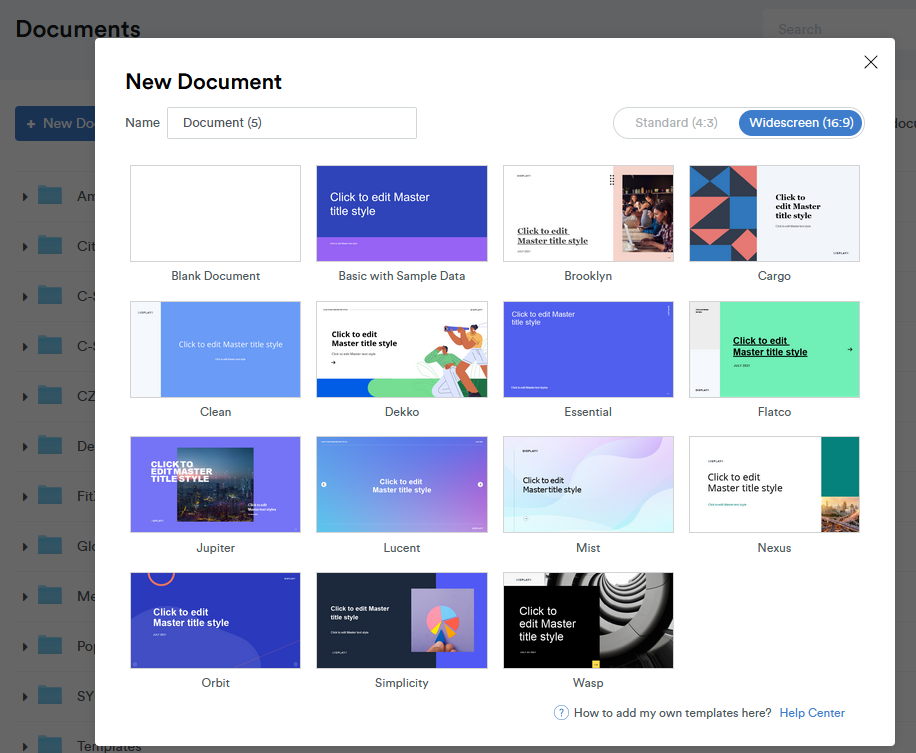
New Template
DisplayR will take you to the new DisplayR Document. Now you need to go to menu and select: Anything > Advanced Analysis > Choice Modeling > Experimental Design
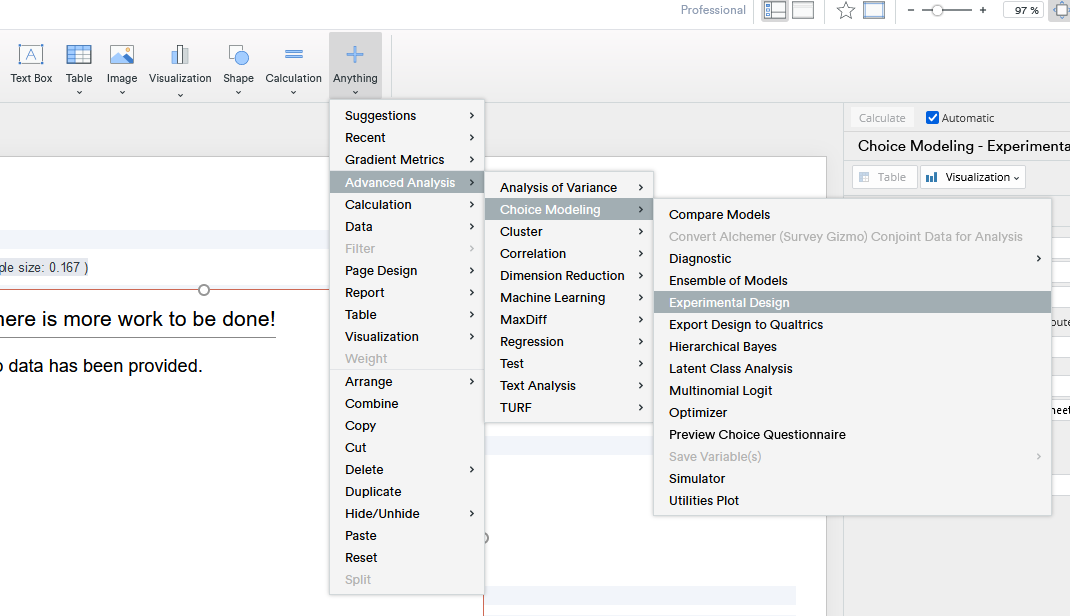
Menu New Design
You will see a menu on the right side panel:
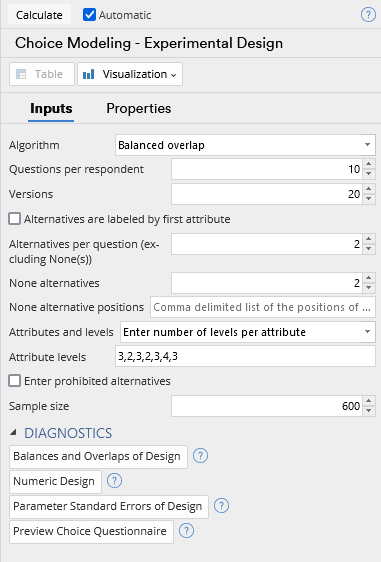
Side Menu
Before we start filling anything in, remember to UNSELECT the “automatic” option on top.